





A practical framework for cutting context-switching, integrating your stack, and choosing tools that actually make teams more productive.
Key Takeaways:
- What’s the real productivity problem? Not missing tools. Fragmented workflows that scatter context, duplicate effort, and turn progress tracking into detective work.
- What five principles should guide tool selection? Reduce context-switching, integrate rather than add, automate status visibility, secure data by default, and measure outcomes rather than activity.
- Which tool categories matter most? Communication, project management, knowledge/documentation, workflow automation, AI assistants, and time tracking. Most teams need fewer tools used better, not more tools used poorly.
- Why does security matter when choosing productivity tools? AI-powered tools that process team data create compliance risks. Data residency, access controls, and encryption aren’t optional extras.
- What’s the bottom line? Fewer, better, integrated. Pick tools that connect to each other and reduce the reporting burden rather than adding to it.
A practical framework to cut context-switching, integrate your stack, and adopt secure AI so your team ships more, with less friction.
The Hidden Tax of Tool Overload
Picture this: your project manager starts the day in Slack, switches to Asana to check sprint progress, jumps into a Google Doc for the spec review, opens Zoom for standups, then circles back to email to forward client feedback. By 10 a.m., she’s touched eight different apps and still hasn’t answered the question that kicked off her morning: “What’s the status on the Milano launch?”
This isn’t a productivity problem. It’s an architecture problem.
Modern teams don’t lack tools; they drown in them. The average knowledge worker toggles between multiple applications daily, and the cost is real:
- Remote work has become standard for many teams; tools have become the medium through which work happens, not just a supplement to it.
- Context-switching between apps creates measurable productivity drag, a hidden tax that compounds across every workday.
- Integrated stacks demonstrate higher productivity; well-designed workflow systems deliver meaningful ROI when adoption and implementation are done thoughtfully.
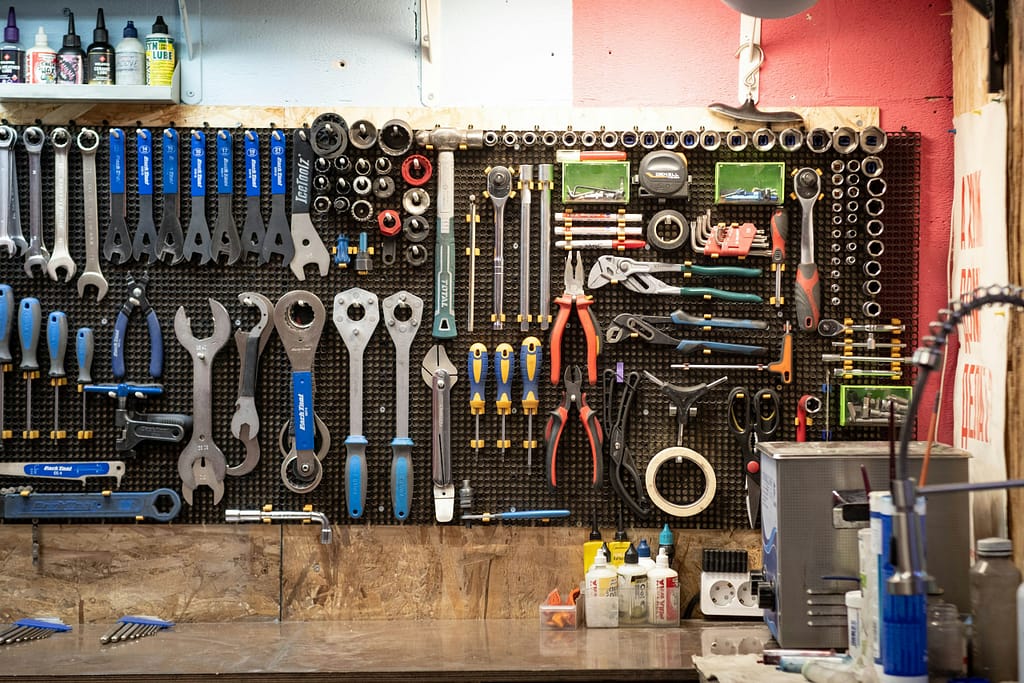
The problem isn’t a missing app. It’s fragmented workflows that scatter context, duplicate effort, and turn progress tracking into detective work. The solution is an integrated, secure, human-centered system that treats tools as connective tissue, not isolated points.
What’s Broken (And Why It Stays That Way)
Before we talk solutions, let’s name the patterns that keep teams stuck:
Email for project coordination creates silos and lost context. Threaded replies bury decisions, attachments drift into outdated versions, and knowledge dies in inboxes instead of living in shared spaces.
Fragmented point tools multiply logins, notifications, and duplicate data. Each new app promises to solve one problem but introduces coordination overhead. Teams end up copying status updates from Slack into Asana, from Asana into slides, from slides into email.
Tool adoption without change management equals shelfware. Buying licenses doesn’t change behavior. Without clear protocols on what goes where and why, tools compete for attention rather than complement each other.
Monitoring without trust backfires. Invasive time tracking and activity surveillance erode morale; productivity drops as employee sentiment sours.
AI added as a “feature” rather than a workflow redesign underdelivers. Bolting a chatbot onto a broken process just automates the chaos. Real value comes from rethinking how work flows, then applying AI to eliminate friction.
Five Principles to Actually Boost Team Productivity

Here’s the framework that separates high-performing teams from app hoarders:
Integrate first, then optimize. Prefer productivity tools for teams that play well with others. Build a hub-and-spoke architecture with platforms like Slack or Microsoft Teams at the center, connecting project management, documentation, and automation around that core.
Default to asynchronous by design. Codify when to chat versus document versus meet. Reserve synchronous time for decisions, not status updates. This discipline alone reclaims meaningful time each week.
Automate the handoffs. Use no-code and low-code automation to eliminate copy-paste work and reduce lag between tools. The goal isn’t to replace people; it’s to free them from repetitive plumbing.
Centralize knowledge, not opinions. Make source-linked, searchable knowledge accessible to everyone who needs it. Answers should come with citations, not vague recollections of what someone said three Slack channels ago.
Secure by design, private by default. Choose vendors with strong data isolation, encryption, and clear policies to avoid AI and data risk. In a world where proprietary information flows through third-party services, security is not negotiable.
The Modern Toolscape: Categories and When to Use Them
Not all productivity tools for teams serve the same purpose. Here’s a practical map of categories, what they do best, and when to deploy them:
Communication and Collaboration
Tools: Slack, Microsoft Teams, Zoom, Google Meet
When to use: Daily coordination, synchronous and asynchronous updates, cross-functional alignment. These platforms serve as the nervous system of hybrid teams, channeling quick questions, decisions, and informal collaboration.
Project Management and Task Tracking
Tools: Asana, Motion, Trello, Monday.com, ClickUp, Smartsheet
When to use: Planning, dependencies, execution visibility, AI-assisted scheduling. These tools turn strategy into executable work, track progress, and surface bottlenecks before they become emergencies.
Knowledge and Documentation
Tools: Google Workspace, Microsoft 365, Notion, Nuclino, Confluence
When to use: Real-time collaboration, internal wikis, technical documentation. These platforms centralize institutional knowledge so teams can find answers without asking the same question twice.
Workflow Automation and Integration
Tools: Zapier, Make, Microsoft Power Automate
When to use: Connect tools, automate repetitive tasks, create event-driven processes. Automation is the glue that turns isolated apps into a coherent workflow.
AI Meeting and Workflow Assistants
Tools: Fireflies, tl;dv, Avoma
When to use: Summaries, action items, cross-meeting continuity. These assistants capture decisions and follow-ups so participants can focus on the conversation, not frantic note-taking.
Time Tracking and Visibility
Tools: Timely, Hubstaff, EmpMonitor
When to use: Project costing, utilization, trend insights. Track at the outcome level to inform capacity planning and billing accuracy, but avoid invasive surveillance that undermines trust.
Communication Platforms: The Nervous System of Hybrid Teams
Your communication platform is the hub around which everything else revolves. Choose wisely, because switching later is painful.
Slack
Strengths: Rich integrations, strong adoption in product and tech teams, excellent mobile engagement. Supports asynchronous rituals via threads and apps; channel-based organization surfaces knowledge naturally over time.
Best for: Integration-first organizations and teams needing channel-based knowledge surfacing.
Microsoft Teams
Strengths: Tight Microsoft 365 integration, consolidated chat plus meetings plus files, enterprise governance baked in from day one.
Best for: Microsoft-centric environments and regulated industries where compliance and control matter as much as collaboration.
Zoom and Google Meet
Zoom: Reliability at scale, HD quality, breakout rooms for workshops and large meetings.
Google Meet: Lightweight, browser-based, great for Google Workspace teams that value simplicity over feature depth.
Selection Criteria
When choosing a communication platform, consider:
- Ecosystem fit: Are you Google versus Microsoft versus mixed? Align your communication hub with your dominant productivity suite.
- Mobile experience and notifications hygiene: Can your team stay connected without drowning in pings?
- Integration library and app directory: Does it connect to your project management, automation, and AI tools?
- Security and compliance features: Encryption, data residency, audit logs, and role-based permissions.
Project Management: From Lists to AI-Optimized Schedules
Project management tools vary widely in complexity, adoption curve, and intelligence. Here’s how to match tool to team:
Asana
Deep project management with portfolios, dependencies, OKRs, and granular reporting. Best for cross-functional programs where visibility into interdependencies is critical.
Motion
AI auto-schedules tasks on calendars, predicts team deadlines, and pairs with Zapier for workflow automation. Best for fast-moving teams optimizing calendars, not Gantt charts.
Trello
Simple Kanban for small teams with a low training burden. Great for visual thinkers and teams that need to get started today.
Monday.com
Highly customizable boards and dashboards with a steeper onboarding curve. Excellent for teams with unique workflows that don’t fit templates.
ClickUp
All-in-one platform combining tasks, docs, whiteboards, and chat. Good for consolidation if you’re willing to invest in learning one all-in-one system.
Smartsheet
Spreadsheet-native project management; great for interdependent workstreams and resource visibility, especially in organizations already fluent in Excel.
Selection Criteria
- Complexity of projects and dependencies: Simple Kanban or multi-level portfolios?
- Reporting needs: Executive dashboards versus team boards?
- AI assist: Calendar scheduling versus rule automation?
- Ease of adoption and training bandwidth: Can your team be productive in a week or does this require a longer rollout?
Knowledge and Documentation: Make It Easy to Find the Truth
Documentation tools fail when they become write-only databases. The best systems are designed for retrieval, not just storage.
Google Workspace
Real-time collaboration by default, strong for startups and SMBs that value speed and simplicity.
Microsoft 365
Enterprise controls, advanced desktop apps, security compliance. Best when you need governance and integration with Teams.
Notion
Flexible databases plus docs, adaptable to many workflows. Popular with product teams and creative agencies.
Nuclino
Lightweight, intuitive wiki; fast to onboard. Great for small to mid-sized teams that need a knowledge base without complexity.
Confluence
Enterprise wiki best paired with Jira and technical teams. Deep structure for documentation-heavy organizations.
Structure Guidance
The tool matters less than the discipline:
- Codify “what goes where”: decisions, SOPs, client documents, meeting notes.
- Use templates for meeting notes, decision logs, and project retrospectives.
- Enforce searchability: tags, owners, dates, and source links. If it’s not findable, it doesn’t exist.
Automation: Connect the Dots and Kill the Copy-Paste
Automation doesn’t replace thinking; it eliminates the grunt work between thoughts.
High-Value Automations
- Auto-create tasks from Slack or email requests and assign them to the right board or list.
- Sync CRM changes to project management tools and notify channels with context.
- Generate weekly summaries pulled from multiple sources for leadership, eliminating Friday afternoon scrambles.
Platforms
Zapier: Thousands of integrations, pay-per-completed action, fastest start for non-technical teams.
Make: Granular flows, excellent for complex orchestrations. Watch pricing per step and poll.
Power Automate: Best for Microsoft-centric stacks; strong price-to-value ratio in that ecosystem.
AI Layer: From Features to Workflows
AI is everywhere now, but not all implementations are created equal. The difference between hype and help comes down to workflow integration and data security.
Where AI Adds Real Value
Meeting assistants like Fireflies, tl;dv, and Avoma produce accurate summaries and action items, preserving decisions without burdening participants.
Drafting, summarizing, and classifying updates in project management tools, offering prioritization hints based on workload and dependencies.
Knowledge assistants that answer questions with citations to source updates, turning scattered communication into a queryable knowledge base.
What to Demand from AI Vendors
- Private-by-default data handling: Your data should never be used for model training.
- Encryption in transit and at rest: Auditable access and role-based permissions.
- Clear data residency options and compliance posture: SOC 2, ISO 27001, HIPAA eligibility.
Example of a Secure AI Pattern
For teams that need source-linked insights and automated reporting without data risk, platforms like BeSync’d illustrate a privacy-first approach. Running in its own private cloud, BeSync’d processes proprietary team member work updates and chat-derived data securely, delivering source-linked knowledge base answers and automated reports without your data being used for model training.
Time Tracking and Visibility: Measure Without Micromanaging
Visibility into how time is spent can inform better capacity planning and project costing. Done poorly, it breeds resentment and disengagement.
Tools
Timely: AI-assisted, near-automatic time capture with low employee burden.
Hubstaff: Activity-level visibility and project reporting; balanced approach that respects autonomy.
EmpMonitor: Deep monitoring including screenshots and screen recording, but higher trust risk.
Good Practices
- Track at the project or outcome level, not keystrokes or mouse movements.
- Combine time data with planned-to-done ratios and throughput, not surveillance metrics.
- Communicate the why: billing accuracy, capacity planning, identifying bottlenecks. Invite feedback and adjust based on team sentiment.
Stack Archetypes That Work
Integration is the advantage. Here are proven patterns:
Microsoft-Centric Enterprise
Microsoft Teams + Microsoft 365 + Power Automate + Smartsheet or Planner + Avoma + Timely or Hubstaff
Google-Centric Scale-Up
Slack + Google Workspace + Asana or Motion + Zoom or Google Meet + Zapier + Notion or Nuclino + Fireflies
Consulting or Agency with Client Reporting
Slack + Asana or ClickUp + Google Workspace + Zapier + AI meeting assistant + platforms like BeSync’d for Slack-based automated internal and client-ready reports, plus a source-linked knowledge base
Product or Engineering Hybrid
Slack + Jira or Asana + Confluence or Notion + Miro or MURAL + Zapier or Make + AI meeting assistant
Pattern to Copy
Hub-and-spoke with a collaboration hub, integrated project management, documentation, automation, AI, and reporting with strong security posture across the stack.
Implementation Playbook: Adoption Beats Features
The shiniest productivity tools for teams fail without a plan to embed them in daily work. Use the ADKAR framework to drive change:
Awareness: Share the “why.” Context switching, missed decisions, and delayed updates cost time and morale.
Desire: Map benefits by role. Show quick wins like auto-scheduled tasks or one-click report drafts.
Knowledge: Role-based, bite-sized training. Make searchable guides available in the flow of work.
Ability: Practice with coached sprints, office hours, and sandboxes where people can experiment safely.
Reinforcement: Celebrate wins, support champion networks, measure improvements, and share results.
Measure What Matters: From Activity to Outcomes
Establish baselines before rollout, then track what actually drives results.
Leading Indicators
- Planned-to-done ratio: Are we finishing what we start?
- Cycle time: How long from kickoff to delivery?
- Meeting-to-decision latency: How quickly do decisions translate into action?
- Percentage of automated handoffs: Are we eliminating manual steps?
Outcome Metrics
- Revenue per employee: Are we getting more output from our team?
- On-time delivery rate: Are we meeting commitments?
- Customer satisfaction and renewals: Are clients seeing the value?
- Utilization for services teams: Are billable hours increasing without burnout?
Reporting Cadence
- Weekly team dashboards to surface blockers and celebrate progress.
- Monthly leadership summaries to inform strategic decisions.
- Quarterly ROI rollups to justify investment and guide iteration.
Hybrid and Remote Rituals: Make Work Digital-First
Digital-first doesn’t mean always-on. It means intentional protocols that respect asynchronous work and preserve focus.
Protocols: Use Slack or Teams for quick updates, docs for decisions, meetings for decisions only.
Async updates: Weekly project updates in project management tools, monthly cross-team summaries, AI-generated recaps to reduce meeting overhead.
Visibility: Public channels by default, permissioned knowledge spaces for sensitive topics, thread discipline to keep context intact.
Visual collaboration: Miro or MURAL for ideation, project tools for execution; link artifacts back to the knowledge base so ideas don’t vanish.
Security and Compliance: The Non-Negotiables
When choosing productivity tools for teams, security cannot be an afterthought. Evaluate vendors against these criteria:
Data handling: No model training on your data; isolated inference where possible.
Encryption: In transit and at rest, with fine-grained identity and access management.
Compliance: SOC 2, ISO 27001, HIPAA eligibility; audit logs and data residency controls.
Access and visibility: Role-based permissions that travel with the data; permission-aware AI answers.
Vendor transparency: Clear documentation on retention, logging, and third-party sub-processors.
Decision Matrix: Picking the Right Tools for Your Context
| Need | Complexity | Team Size | Ecosystem | Security | Ease of Adoption | Recommended Stack |
|---|---|---|---|---|---|---|
| Lightweight PM in 1 week | Low | Small | Mixed | Standard | High | Trello or Asana Basic + Slack + Zapier |
| AI to reduce planning overhead | Medium | Medium | Google or Microsoft | Standard | Medium | Motion + Slack or Teams + Zapier |
| Client-ready reports without copy-paste | Medium | Medium to Large | Google or Mixed | High | Medium | Asana or ClickUp + Slack + BeSync’d |
| Microsoft enterprise | High | Large | Microsoft | High | Medium | Teams + M365 + Power Automate + Smartsheet + Avoma |
What’s Next: Emerging Trends to Watch
The landscape of productivity tools for teams continues to evolve:
AI assistants move from summarize to orchestrate, offering prioritization, bottleneck detection, and predictive capacity planning.
Asynchronous-first features like video updates and time-shifted feedback are gaining traction in distributed teams.
VR experiments for distributed presence remain niche but may find footing in specific use cases.
Well-being-aware tooling with after-hours controls and focus time automation addresses burnout without sacrificing productivity.
Fewer, Better, Integrated
The best productivity tool is not an app. It’s an integrated, secure workflow that reduces friction and makes progress visible.
Choose tools that fit your ecosystem. Automate the handoffs. Centralize knowledge with source-linked answers. Add AI where it meaningfully removes manual effort, not as a feature checkbox. Measure outcomes, not just activity. And invest as much in adoption, training, and cultural change as you do in licenses.
The teams that thrive aren’t the ones with the longest app lists. They’re the ones who’ve wired their tools together into a coherent system, secured it properly, and taught their people how to use it well. That’s where real productivity lives.
For teams seeking that kind of integrated clarity, especially around work updates, reporting, and knowledge management, solutions like BeSync’d offer a practical example of how voice-to-text work updates, Slack-based automated reporting, and a source-linked knowledge base can work together on a secure foundation, without adding yet another isolated tool to the pile.
Tools Mentioned
Communication: Slack, Microsoft Teams, Zoom, Google Meet
PM/Tasks: Asana, Motion, Trello, Monday.com, ClickUp, Smartsheet
Knowledge: Google Workspace, Microsoft 365, Notion, Nuclino, Confluence
Automation: Zapier, Make, Microsoft Power Automate
AI Assistants: Fireflies, tl;dv, Avoma,
Time/Visibility: Timely, Hubstaff, EmpMonitor
Secure AI workflow and reporting: BeSync’d (voice-to-text updates, Slack-to-report automation, source-linked knowledge base; runs in BeSync’d’s private cloud)
Bonus: Check out the latest AI tools at Toolsfine.com